Give every section a place.
Reorder your outline, edit one section at a time, and switch back to source whenever you need the full control of LaTeX.
From your first resume to your next research paper. Pick a template, write in LaTeX, bring in your images, and give your ideas a proper PDF send-off.
Free for every dinosaur. Browse templates without signing in.
A source editor for the details. A structured visual mode for the outline, page segments, and finishing touches. Your compiled PDF sits right beside your work.
Source first. Structure when you need it.1\documentclass{article}2\usepackage{graphicx}3\begin{document}4\section{The big picture}5Good ideas deserve a little context.6\includegraphics[width=\linewidth]7 {images/system-diagram.png}8\end{document}
A good explanation connects the details. Add your context, bring in your images, and give the whole project a little room to grow.
Reorder your outline, edit one section at a time, and switch back to source whenever you need the full control of LaTeX.
Manage headers and footers, choose page numbering, and target source pages separated by explicit page breaks.
Invite editors or viewers and work together in the same project. Keep the source, images, and finished PDF connected.
Compare real layouts within a category. Different type, hierarchy, spacing, and structure. The preview comes from the exact template source.
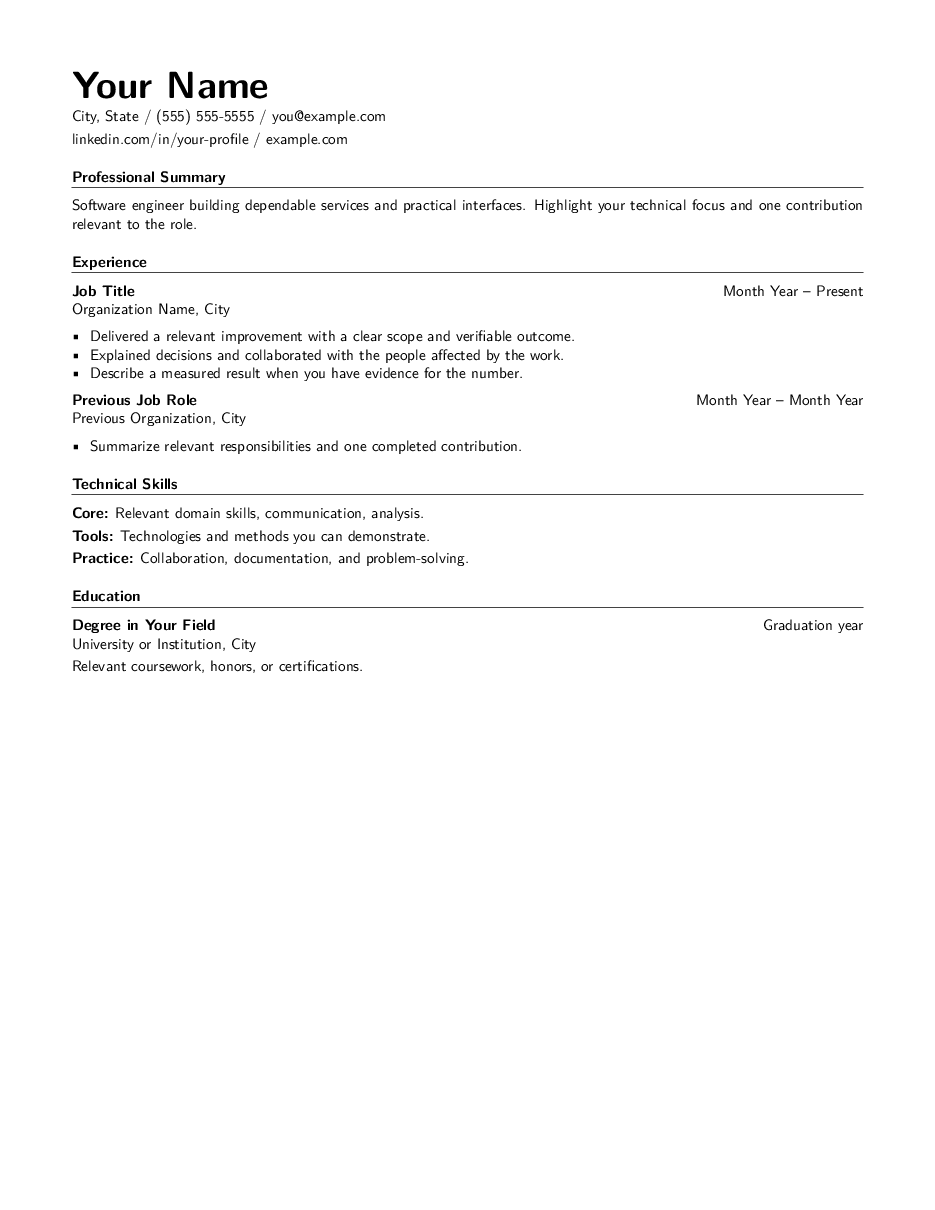 Inspect this design
Left-aligned. Technical. Clear.
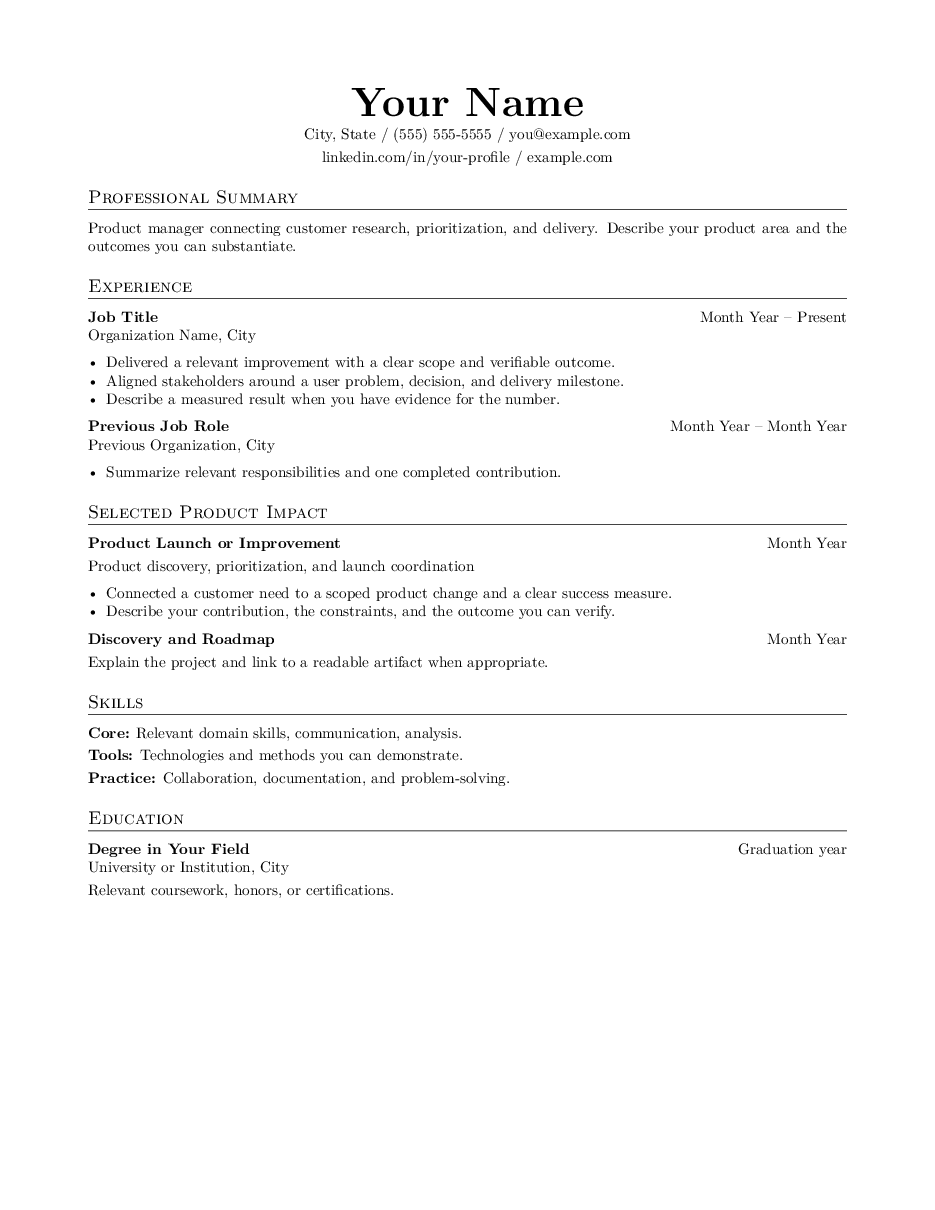 Inspect this design
Centered. Editorial. Impact first.
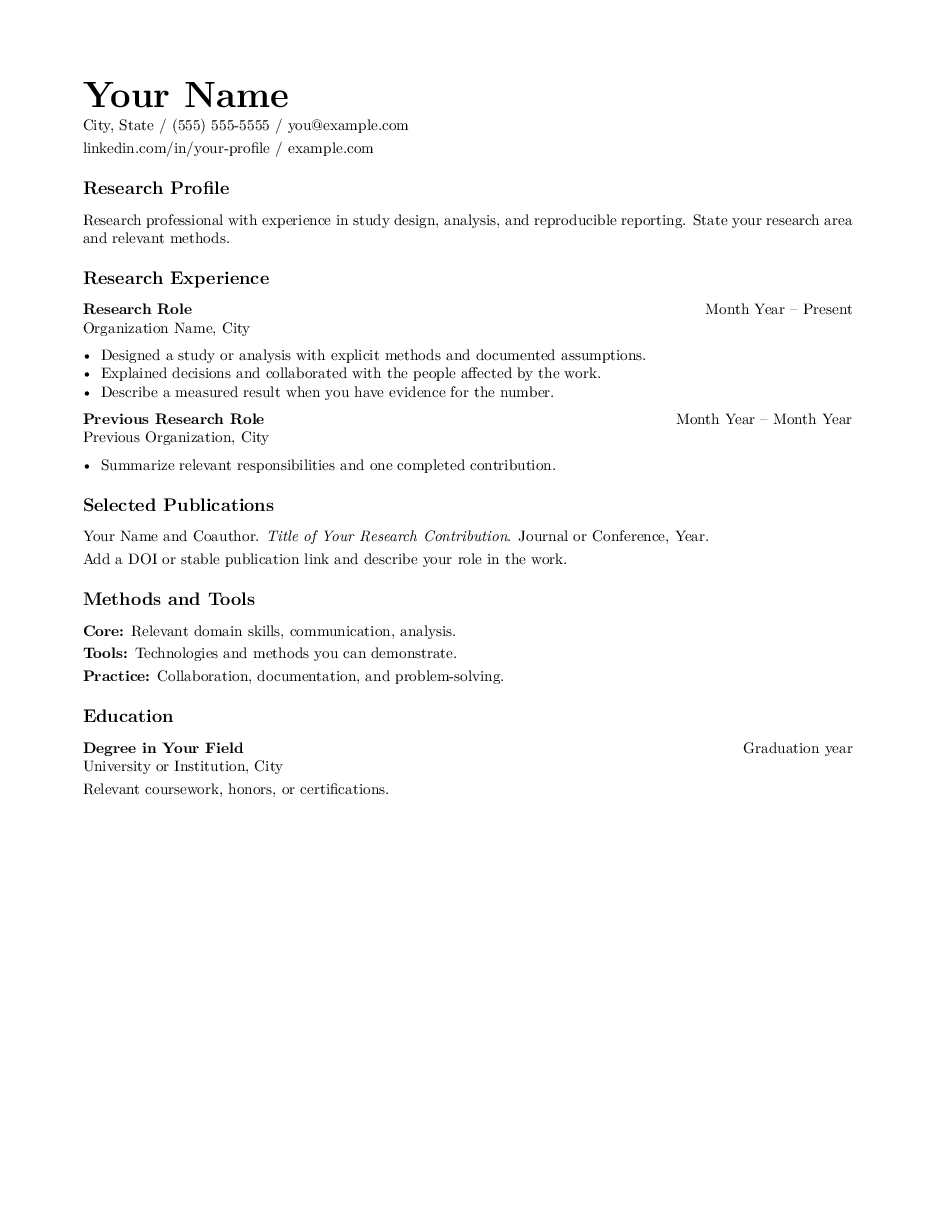 Inspect this design
Research, methods and publications.
Publishing a paper? IEEE and journal templates preserve their prescribed class formatting. Inspect the IEEE conference template
43 starters. Six useful families. Browse the layouts and inspect the LaTeX. Sign in when you’re ready to edit, compile, and save a project.
Modern sans-serif, left-aligned header, ruled headings and technical skills.
Centered serif header, small-cap headings and product impact stories.
Academic serif layout with research profile, publications and methods.
Compact centered header with education, internships and project evidence.
Left-aligned career profile, transferable experience and relevant projects.
Project-first serif layout with small-cap headings and deliverable summaries.
Airy serif layout with a centered header and plain section headings.
IEEE's conference template with six author blocks and two-column formatting.
Argentine Astronomy Association publisher template, custom class and bibliography included.
Science Partner Journal manuscript with line numbers, author affiliations and numbered citations.
Full-length research article with a detailed methods section.
Organize a critical review around themes and open questions.
A clear, focused engineering communication.
Questions, setup, results, and limits made explicit.
A chapter starter designed to grow with your research.
Question, rationale, plan, and expected contribution.
A concise printable companion to a presentation.
A repeatable structure for analysis and reflection.
Requirements, architecture, interfaces, and tests.
Endpoints, authentication, examples, and errors.
Procedures and recovery steps for on-call teams.
Blameless timeline, impact, and follow-up actions.
User needs, acceptance criteria, and release plan.
Classic serif book with a formal title page, contents, and readable chapters.
Literary memoir class, a quiet cover and a scene-led opening.
Sans-serif KOMA-Script handbook, task steps and a contents page.
KOMA-Script course notes with learning objectives, equations and exercises.
Portable 6 × 9 inch reference book with observation tables and field notes.
Resume starters use single-column, text-first layouts. Preview actual compiled pages, inspect the source, then choose your format. IEEE conference, BAAA 68 and Research Future templates include publisher references and format notes. Check your target publication’s submission requirements.
Good documentation is more than words. Upload your images and supporting files, organize them into folders, and reference them directly from your LaTeX source.
main.tex main document
images/
system-diagram.png
experiment-results.jpg
\includegraphics{images/system-diagram.png}A familiar writing workflow, with a little less running between tools.
Start from a resume, research paper, report, book, or another useful template.
Write in LaTeX or use the visual outline to work on a section at a time.
Upload your figures, organize the files, and connect a diagram when it helps.
Generate a PDF, check the output, and give your document its send-off.
For the curious dinosaur in all of us.
Yes. Browse every family, preview its layout, and inspect the source. Using a template in a saved project asks you to sign in and keeps your selection.
Yes. LaTeX source is the default, with project files and a PDF preview beside it. Switch to visual mode for the section outline and page styling tools.
The page tools work with source segments separated by explicit newpage or clearpage commands. Editing a segment changes that source range. LaTeX still controls the final PDF layout, so content can reflow when it is compiled.
Yes. Dinosour Draw is free to use for development, for dinosaurs everywhere. Create an account to save documents, use templates, and collaborate.
A little guidance for your first project. Your tiny-armed assistant is right here with you.
Make a group for the people you work with. Share a document or diagram once, choose viewer or editor access, and let the whole herd find its place.